> ## Documentation Index
> Fetch the complete documentation index at: https://docs.speaklouder.ai/llms.txt
> Use this file to discover all available pages before exploring further.
# Activity
> Calls with transcripts, and the full history of everything the campaign did.
**Activity** has two tabs: **Calls** and **Action log**.
## Calls
The list of conversations is on the left, the details of the selected one on the right.
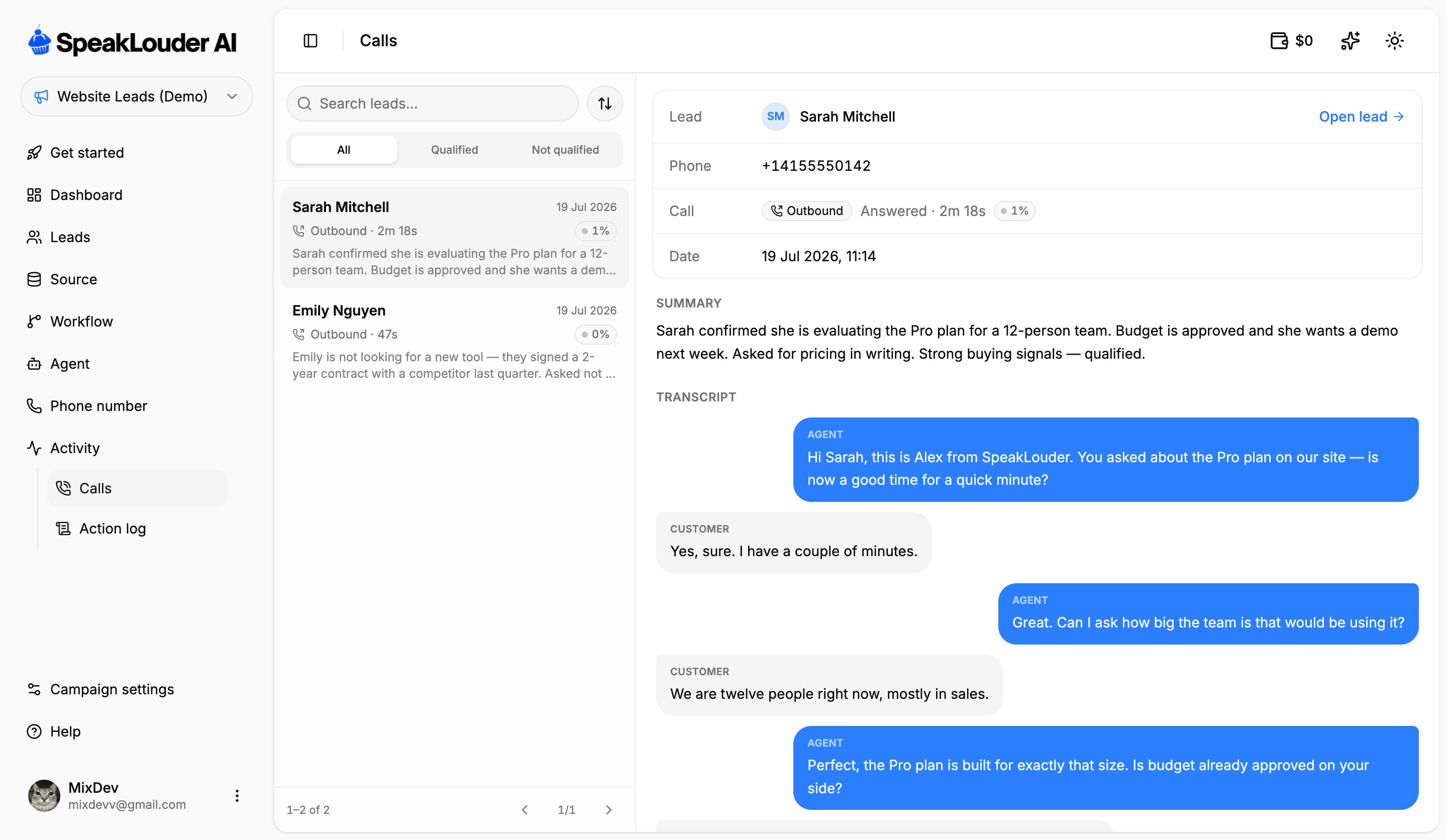 Filter with the **All / Qualified / Not qualified** tabs, the search box, or the sort button. For the selected call you get:
* the lead, the phone number and the **date**,
* direction (**Outbound** / **Inbound**), the outcome (**Answered** / no answer) and the duration,
* the **interest score** the AI gave the lead,
* **Summary**: the AI's recap of the conversation,
* **Transcript**: the full exchange as agent and customer bubbles,
* **Play recording**, when a recording is available.
**Open lead** jumps straight to that person's [lead card](/en/campaigns/leads#the-lead-card).
Only **answered** conversations show up here. Unanswered attempts and voicemail aren't listed, you'll find those in the Action log.
## Action log
Filter with the **All / Qualified / Not qualified** tabs, the search box, or the sort button. For the selected call you get:
* the lead, the phone number and the **date**,
* direction (**Outbound** / **Inbound**), the outcome (**Answered** / no answer) and the duration,
* the **interest score** the AI gave the lead,
* **Summary**: the AI's recap of the conversation,
* **Transcript**: the full exchange as agent and customer bubbles,
* **Play recording**, when a recording is available.
**Open lead** jumps straight to that person's [lead card](/en/campaigns/leads#the-lead-card).
Only **answered** conversations show up here. Unanswered attempts and voicemail aren't listed, you'll find those in the Action log.
## Action log
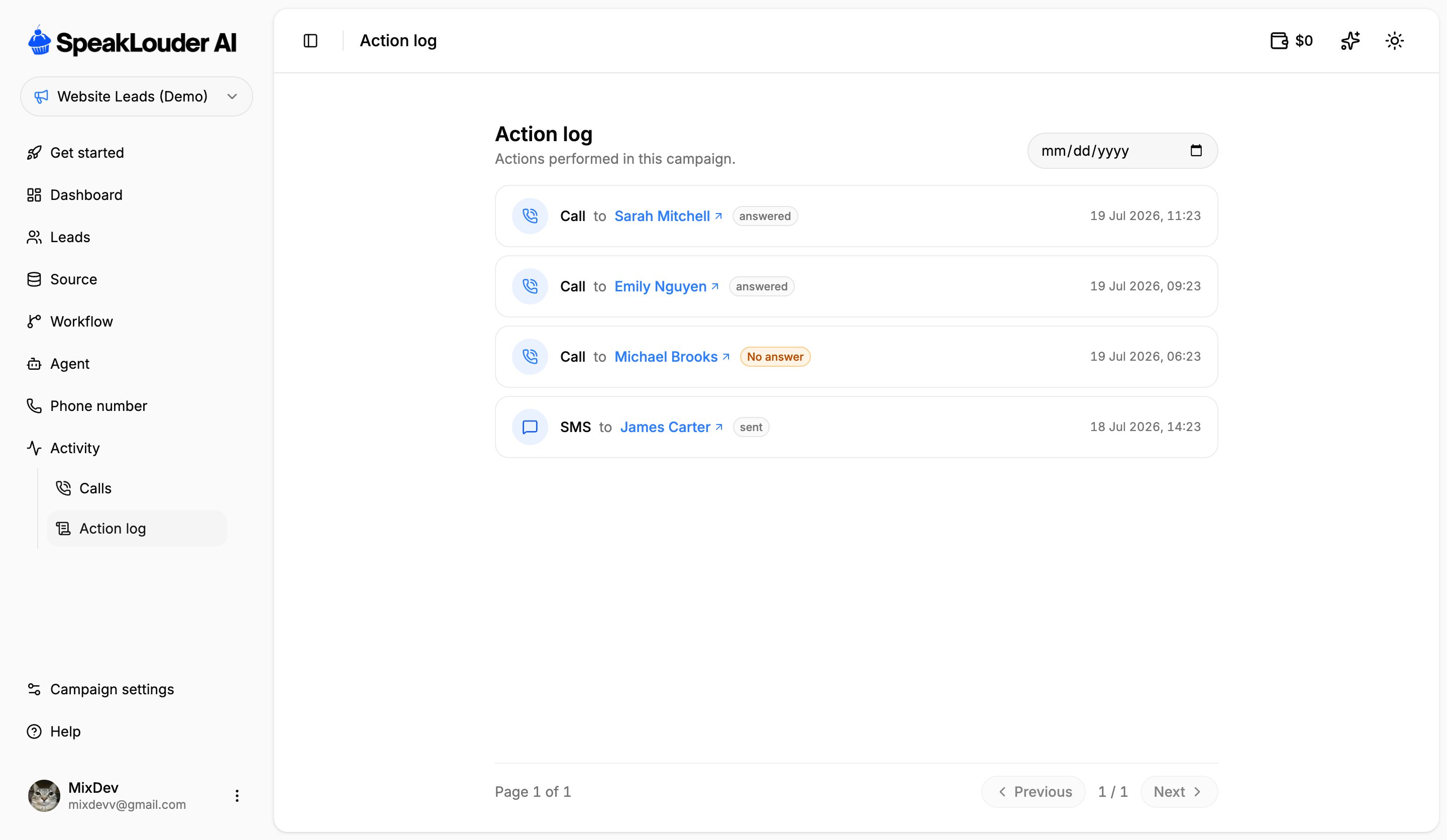 Everything that happened in the campaign, newest first: calls, SMS and emails, each with its outcome (`answered`, `No answer`, `sent`) and a timestamp. The date picker in the top-right narrows the view to a single day, and clicking a name opens that lead's card.
The Action log is the quickest answer to "what did the campaign actually do yesterday?", no clicking through individual leads required.
Everything that happened in the campaign, newest first: calls, SMS and emails, each with its outcome (`answered`, `No answer`, `sent`) and a timestamp. The date picker in the top-right narrows the view to a single day, and clicking a name opens that lead's card.
The Action log is the quickest answer to "what did the campaign actually do yesterday?", no clicking through individual leads required.