> ## Documentation Index
> Fetch the complete documentation index at: https://docs.speaklouder.ai/llms.txt
> Use this file to discover all available pages before exploring further.
# Overview (Dashboard)
> The first page after signing in, a summary of every campaign.
After signing in you land on **Overview**: what's happening across all your campaigns at once, without opening each one.
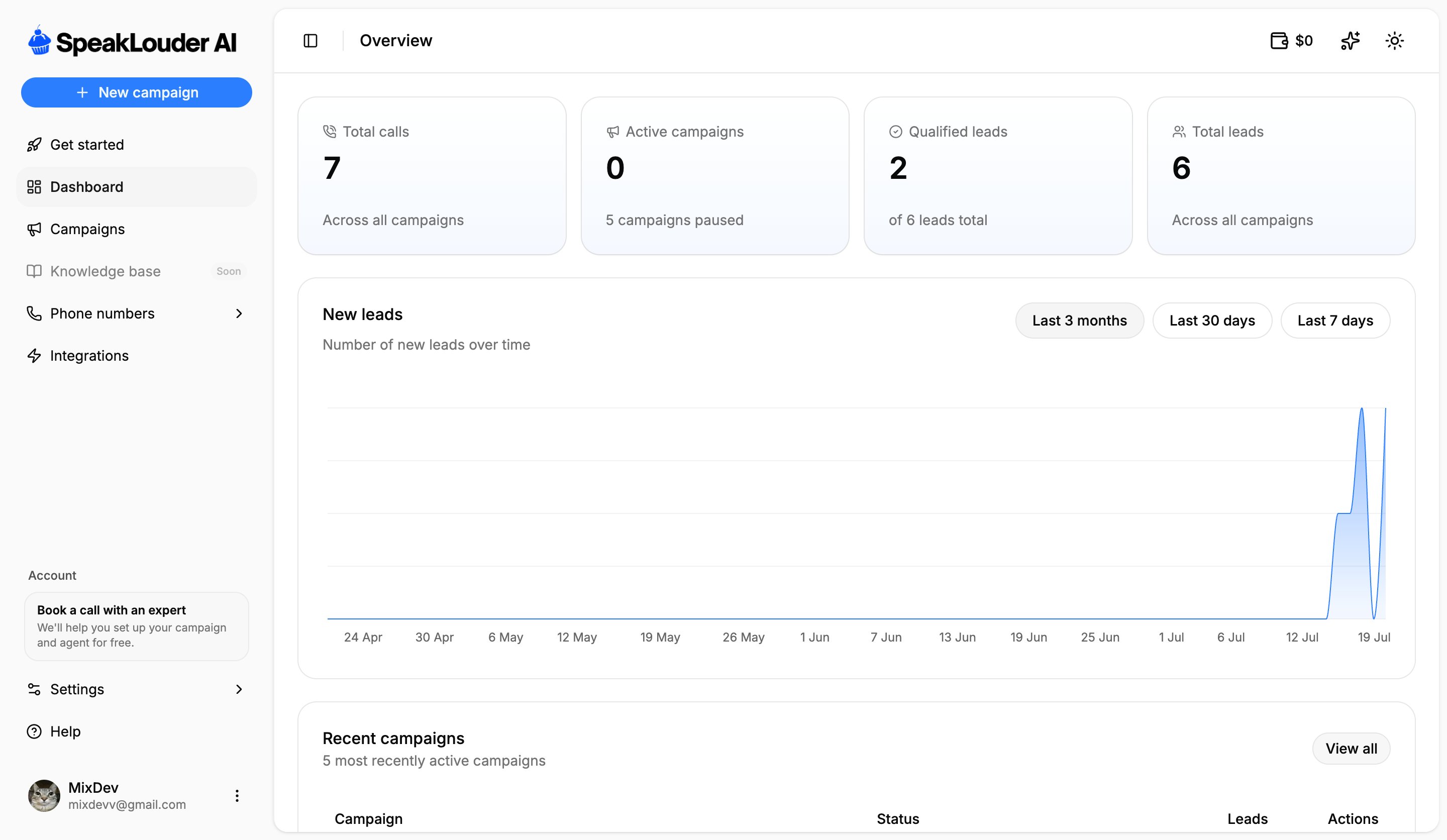 Four numbers across the top: total **calls**, how many campaigns are **active**, how many leads the agent **qualified**, and the **total number of leads**. Below that, a chart of new leads over time (switchable between the last 7 days, 30 days and 3 months) and a table of recent campaigns, click **View all** to reach the full [campaign list](/en/campaigns/index).
In the top-right corner, on every page, you'll find your **wallet** balance and the light/dark theme switch.
## Get started
**Get started** at the top of the menu is the account-level checklist, the quickest route from a fresh account to a running campaign. The campaign-level version lives inside each campaign, see [Get started](/en/campaigns/get-started).
This screen is read-only. To work on a specific campaign, open it from **Campaigns**.
Four numbers across the top: total **calls**, how many campaigns are **active**, how many leads the agent **qualified**, and the **total number of leads**. Below that, a chart of new leads over time (switchable between the last 7 days, 30 days and 3 months) and a table of recent campaigns, click **View all** to reach the full [campaign list](/en/campaigns/index).
In the top-right corner, on every page, you'll find your **wallet** balance and the light/dark theme switch.
## Get started
**Get started** at the top of the menu is the account-level checklist, the quickest route from a fresh account to a running campaign. The campaign-level version lives inside each campaign, see [Get started](/en/campaigns/get-started).
This screen is read-only. To work on a specific campaign, open it from **Campaigns**.