> ## Documentation Index
> Fetch the complete documentation index at: https://docs.speaklouder.ai/llms.txt
> Use this file to discover all available pages before exploring further.
# Integrations
> Connecting SpeakLouder to Make.com, Meta, your calendar and your inbox.
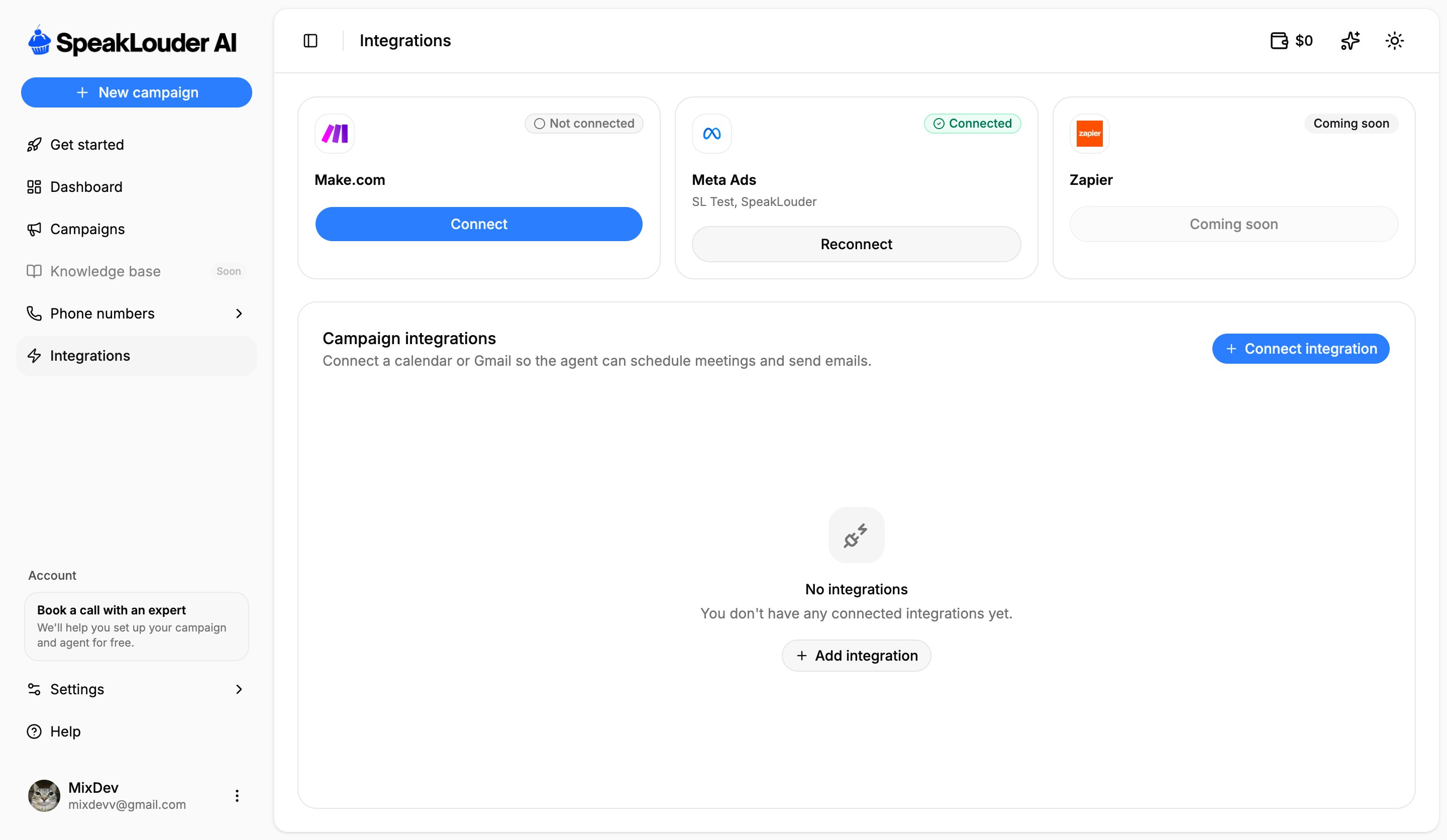
The **Integrations** page has two parts: account integrations and campaign integrations.
 ## Account integrations
* **Make.com**: click **Connect** to build your own automations between SpeakLouder and hundreds of other tools (for example pushing leads in through a [webhook](/en/campaigns/source)).
* **Meta Ads**: connect your Facebook Pages so campaigns can pull leads from lead-form ads. Once connected, the card lists the connected Pages; you then choose the specific forms per campaign in [Source](/en/campaigns/source). One connection is shared by every Meta campaign on the account.
* **Zapier**, *coming soon*.
If the Meta card says **Reconnect**, the Facebook token has expired. Leads stop coming in until you reconnect, worth checking if a Meta campaign suddenly goes quiet.
## Campaign integrations
This is where you connect a **calendar** or **Gmail**, so the agent can:
* **book meetings** during a call (with a calendar such as Cal.com connected),
* **send follow-up emails** from your own address (with Gmail connected as the outgoing mailbox).
Click **Connect integration** to add one; remove an existing one with the bin icon.
You connect an integration once and then switch it on per campaign: the calendar in the [Agent](/en/campaigns/agent) tab, email follow-ups in [Workflow](/en/campaigns/workflow).
## Account integrations
* **Make.com**: click **Connect** to build your own automations between SpeakLouder and hundreds of other tools (for example pushing leads in through a [webhook](/en/campaigns/source)).
* **Meta Ads**: connect your Facebook Pages so campaigns can pull leads from lead-form ads. Once connected, the card lists the connected Pages; you then choose the specific forms per campaign in [Source](/en/campaigns/source). One connection is shared by every Meta campaign on the account.
* **Zapier**, *coming soon*.
If the Meta card says **Reconnect**, the Facebook token has expired. Leads stop coming in until you reconnect, worth checking if a Meta campaign suddenly goes quiet.
## Campaign integrations
This is where you connect a **calendar** or **Gmail**, so the agent can:
* **book meetings** during a call (with a calendar such as Cal.com connected),
* **send follow-up emails** from your own address (with Gmail connected as the outgoing mailbox).
Click **Connect integration** to add one; remove an existing one with the bin icon.
You connect an integration once and then switch it on per campaign: the calendar in the [Agent](/en/campaigns/agent) tab, email follow-ups in [Workflow](/en/campaigns/workflow).