> ## Documentation Index
> Fetch the complete documentation index at: https://docs.speaklouder.ai/llms.txt
> Use this file to discover all available pages before exploring further.
# Your first campaign
> From clicking "New campaign" to the agent's first call.
A campaign is one group of leads with its own settings: where the contacts come from, what the agent says, which number it calls from and what happens after the call. Here's how to build one from scratch.
## 1. Click "New campaign"
The blue button sits at the top of the left-hand menu, on every page.
## 2. Choose where the leads will come from
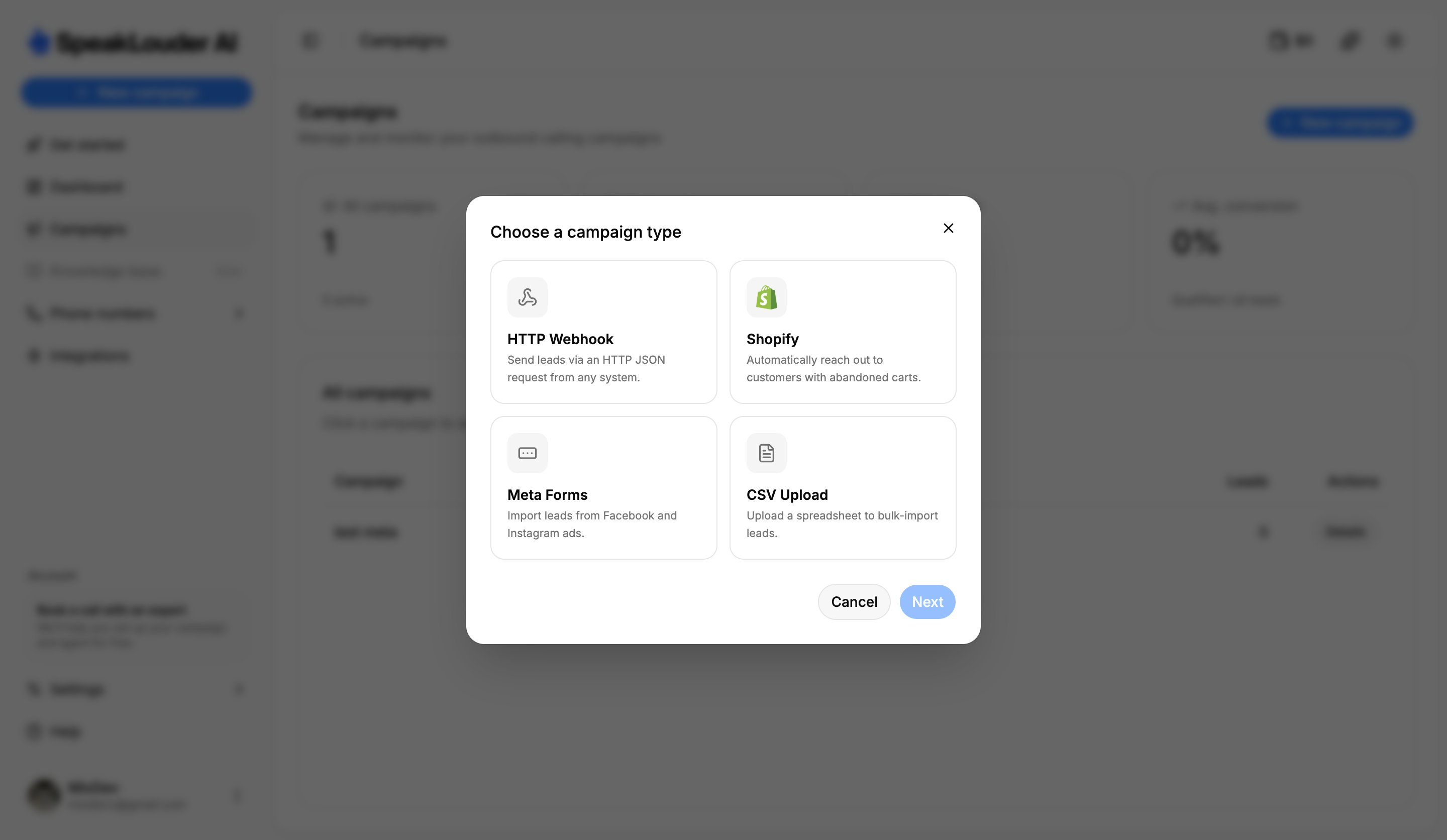 This is the **campaign type**, and it only decides where contacts arrive from:
| Type | Choose when… |
| ---------------- | -------------------------------------------------------------------------- |
| **CSV Upload** | you already have a list of contacts (e.g. in a spreadsheet) to upload |
| **HTTP Webhook** | leads should arrive automatically from a form, Make.com or your own system |
| **Shopify** | you want to call customers who abandoned a cart in your store |
| **Meta Forms** | leads come from lead-form ads on Facebook and Instagram |
Pick a type and click **Next**. Details for each one: [Source](/en/campaigns/source).
## 3. Name the campaign
Give it a name you'll recognise (a product, a month) and click **Create campaign**.
## 4. Work through "Get started"
You land on a checklist that walks you through the rest:
1. **Set up the agent**: language, voice and conversation style → [Agent](/en/campaigns/agent)
2. **Set up the workflow**: when to call and what to do afterwards → [Workflow](/en/campaigns/workflow)
3. **Test the agent**: talk to it in your browser, free of charge
4. **Connect a lead source** → [Source](/en/campaigns/source)
5. **Assign a phone number** → [Phone number](/en/campaigns/phone-number)
6. **Launch the campaign**: only now does the agent start calling
The order is up to you, and the agent **does not call** until you click **Launch campaign** yourself. Take your time setting everything up and testing it.
## What next
Track results in [Activity](/en/campaigns/activity) (calls and history) and in [Leads](/en/campaigns/leads) (the status of each contact). Keep an eye on your [wallet](/en/wallet), you need a balance for calls to go out.
This is the **campaign type**, and it only decides where contacts arrive from:
| Type | Choose when… |
| ---------------- | -------------------------------------------------------------------------- |
| **CSV Upload** | you already have a list of contacts (e.g. in a spreadsheet) to upload |
| **HTTP Webhook** | leads should arrive automatically from a form, Make.com or your own system |
| **Shopify** | you want to call customers who abandoned a cart in your store |
| **Meta Forms** | leads come from lead-form ads on Facebook and Instagram |
Pick a type and click **Next**. Details for each one: [Source](/en/campaigns/source).
## 3. Name the campaign
Give it a name you'll recognise (a product, a month) and click **Create campaign**.
## 4. Work through "Get started"
You land on a checklist that walks you through the rest:
1. **Set up the agent**: language, voice and conversation style → [Agent](/en/campaigns/agent)
2. **Set up the workflow**: when to call and what to do afterwards → [Workflow](/en/campaigns/workflow)
3. **Test the agent**: talk to it in your browser, free of charge
4. **Connect a lead source** → [Source](/en/campaigns/source)
5. **Assign a phone number** → [Phone number](/en/campaigns/phone-number)
6. **Launch the campaign**: only now does the agent start calling
The order is up to you, and the agent **does not call** until you click **Launch campaign** yourself. Take your time setting everything up and testing it.
## What next
Track results in [Activity](/en/campaigns/activity) (calls and history) and in [Leads](/en/campaigns/leads) (the status of each contact). Keep an eye on your [wallet](/en/wallet), you need a balance for calls to go out.