
Calls
The list of conversations is on the left, the details of the selected one on the right.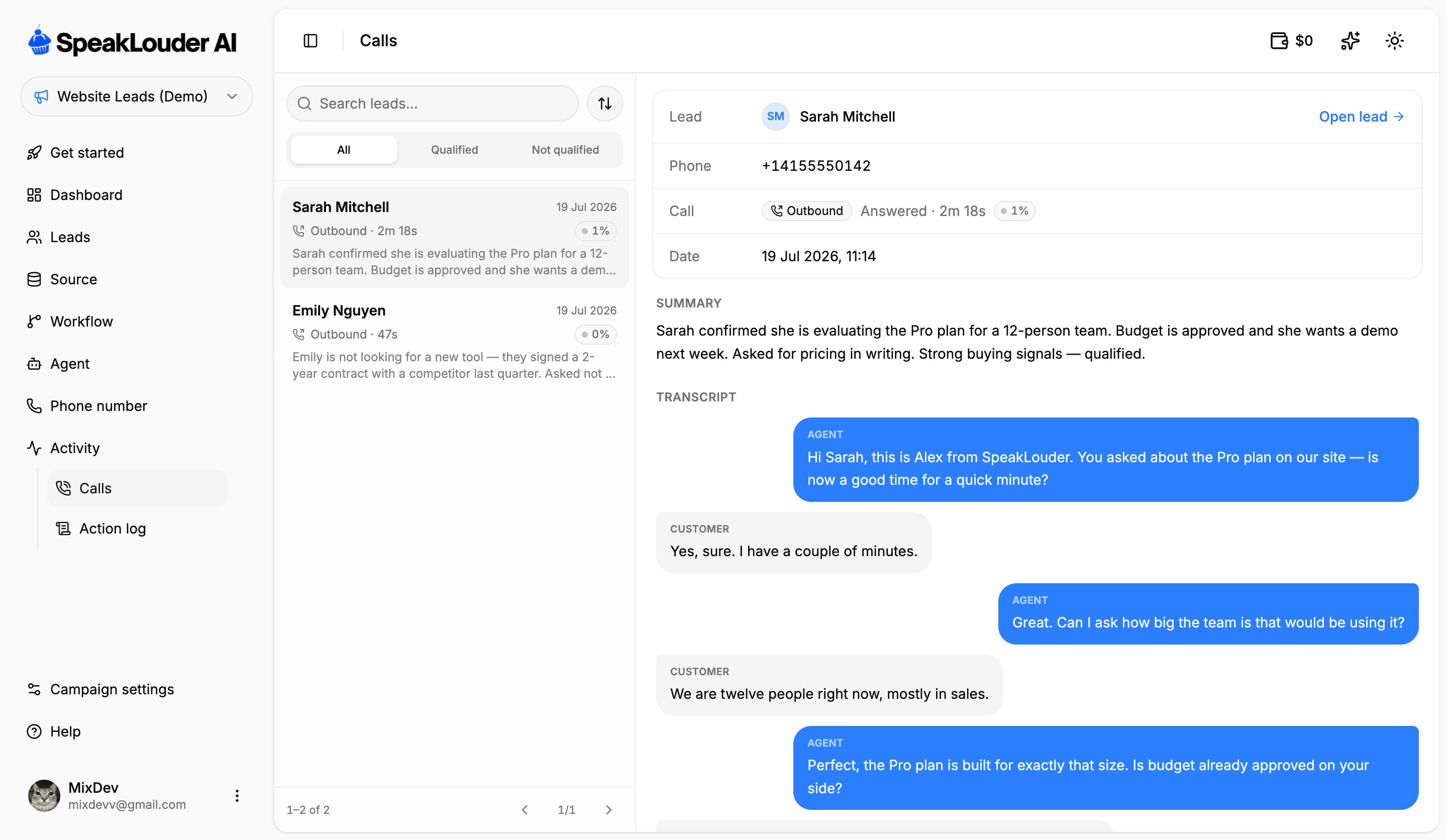
- the lead, the phone number and the date,
- direction (Outbound / Inbound), the outcome (Answered / no answer) and the duration,
- the interest score the AI gave the lead,
- Summary: the AI’s recap of the conversation,
- Transcript: the full exchange as agent and customer bubbles,
- Play recording, when a recording is available.
Only answered conversations show up here. Unanswered attempts and voicemail aren’t listed, you’ll find those in the Action log.
Action log
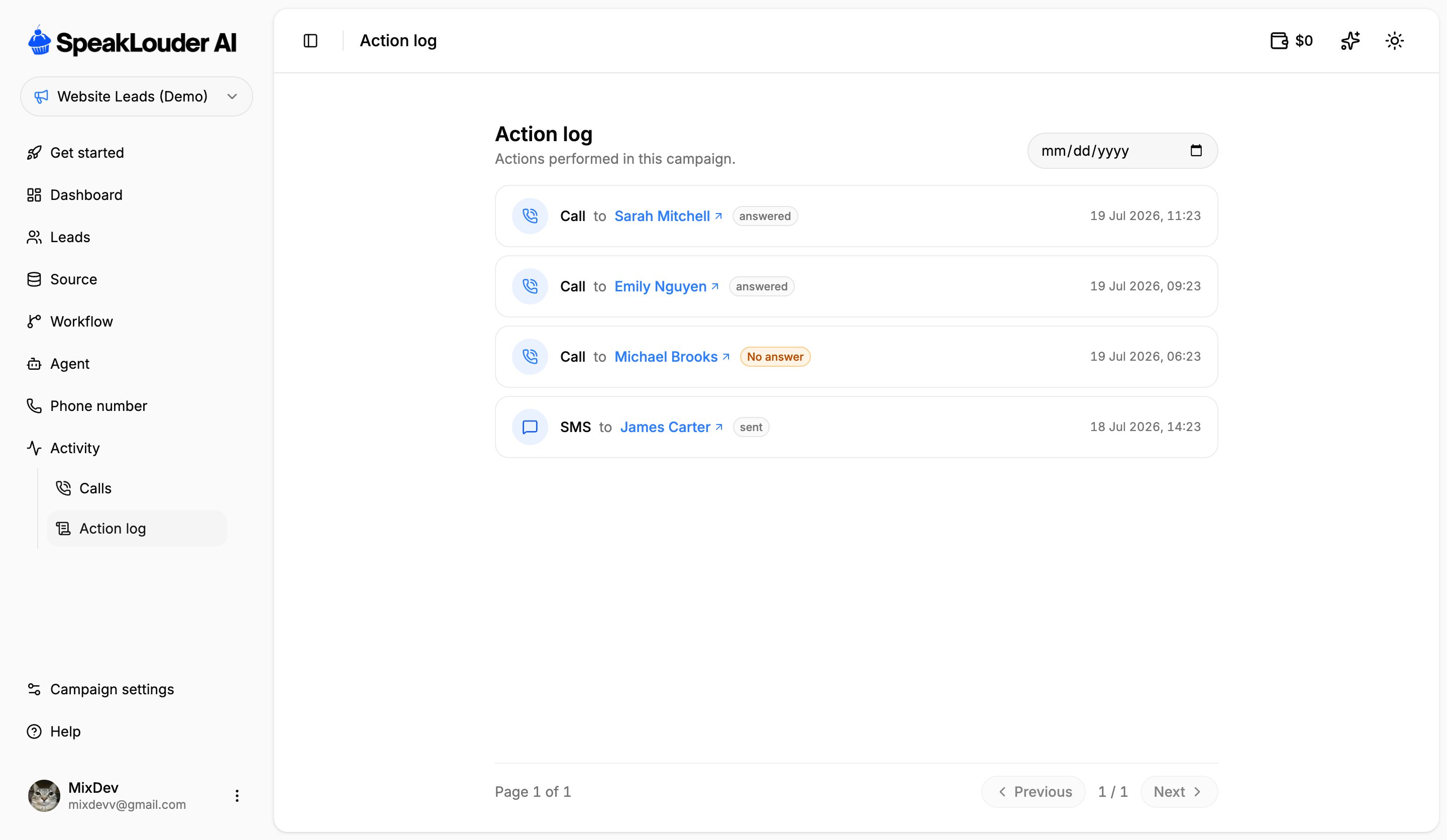
answered, No answer, sent) and a timestamp. The date picker in the top-right narrows the view to a single day, and clicking a name opens that lead’s card.