
The list
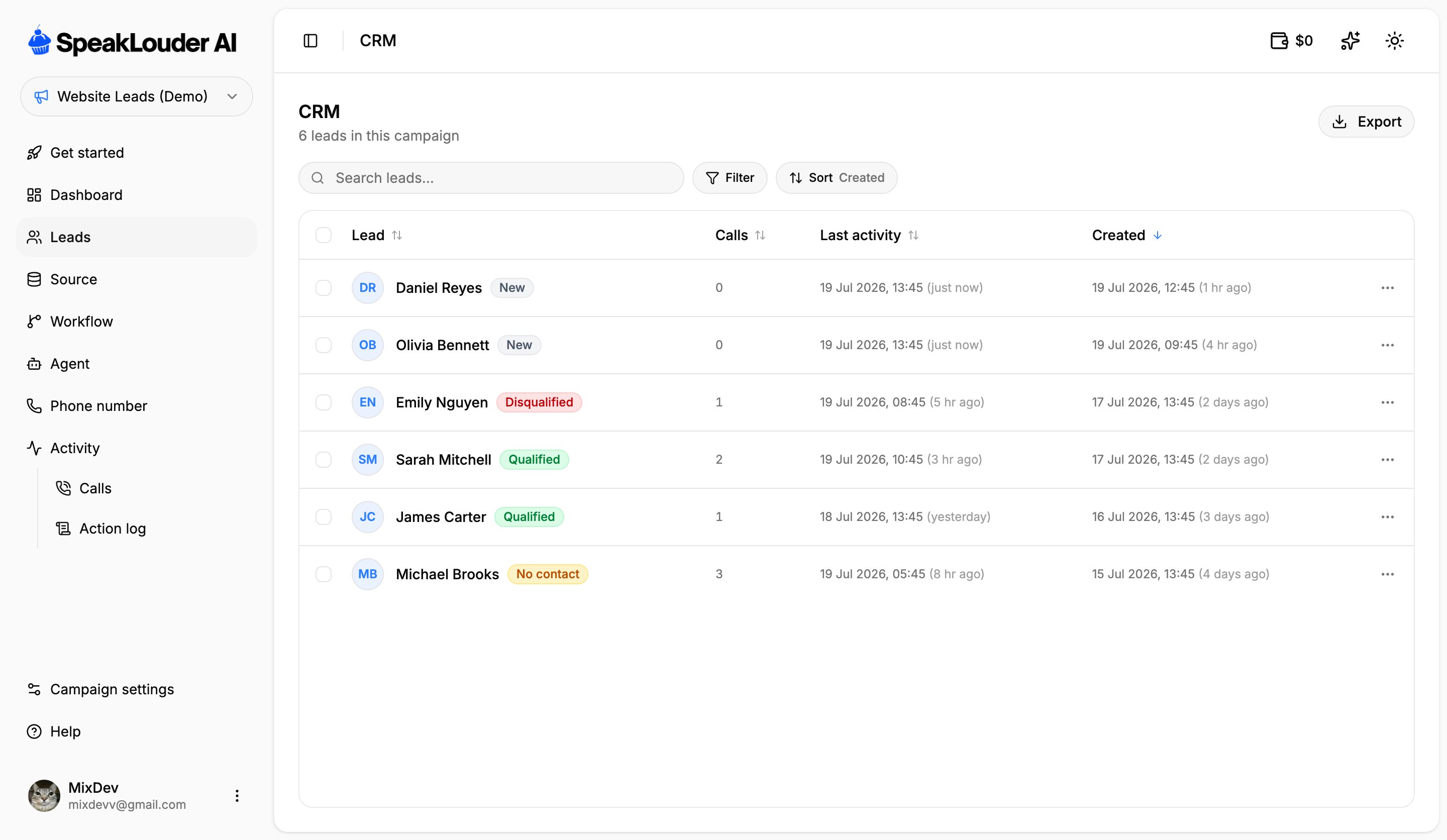
Statuses
- New: in the campaign, not called yet.
- In progress: the sequence has started, the agent hasn’t reached a verdict yet.
- Qualified: the agent decided the lead is interested.
- Disqualified: the conversation happened, but there was no interest.
- No contact: nobody picked up.
Finding leads
- Search: by name, email or phone number.
- Filter: narrow the list down to one or more statuses.
- Sort: by lead, number of calls, last activity or date added. Click a column header to flip the direction.
Working with several leads at once
The checkbox on the left of each row (and the one in the header, which selects everything) lets you act on a group of leads at once. Export downloads the list as a file, so you can hand it to a salesperson or move it into another system.The lead card
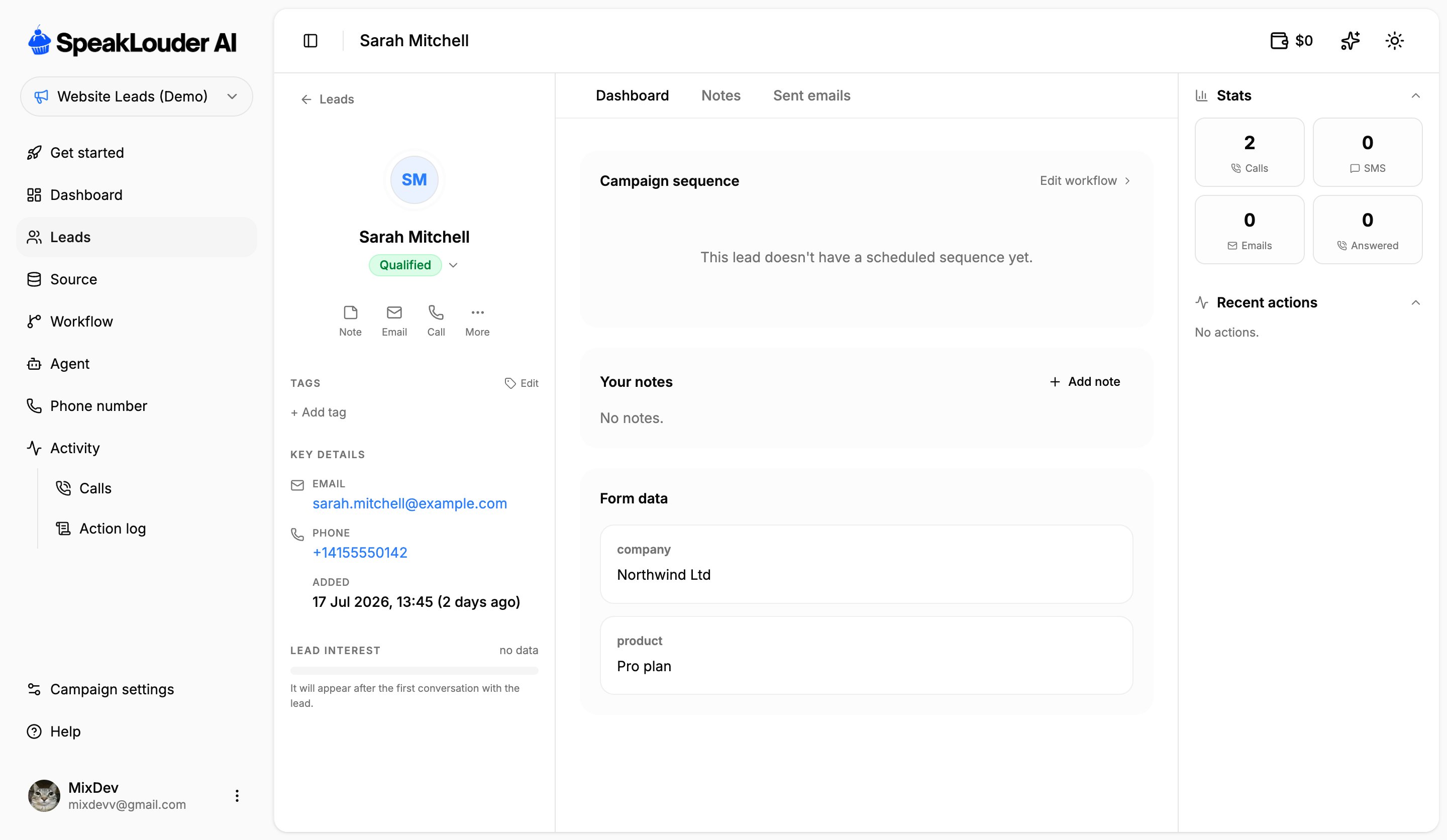
Lead interest is a 0–100 score the AI assigns based on what was actually said in the calls. It stays empty until the first conversation happens, it isn’t a field you fill in yourself.
- Dashboard: the campaign sequence for this lead (what has run, what is still scheduled), your notes, and Form data: everything the source sent along with the contact, including your own custom fields.
- Notes: the full history of notes on this lead.
- Sent emails: every follow-up email that went out.