
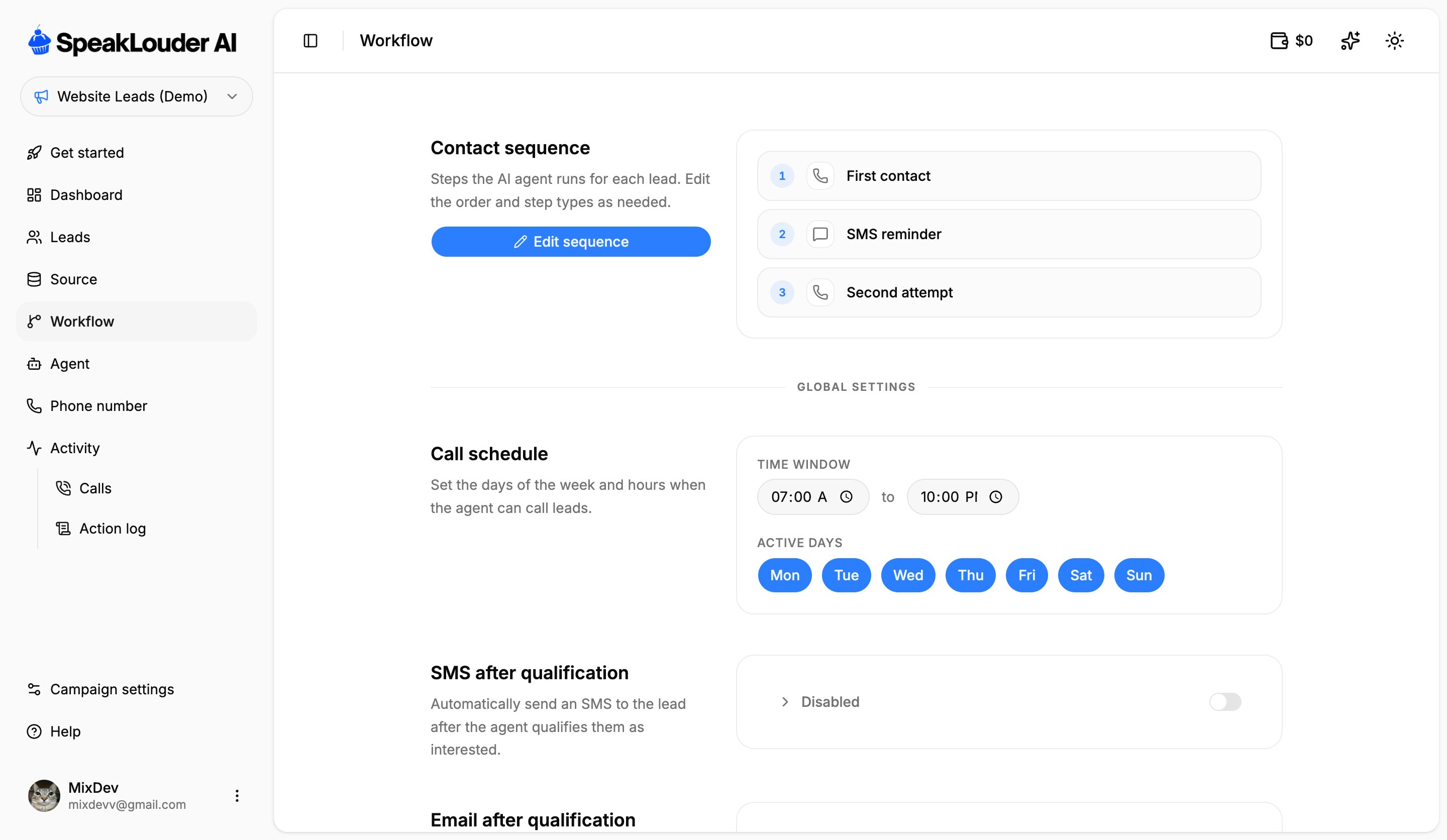
Contact sequence
The steps the agent runs for each lead, in order, for example a first call, then an SMS reminder, then a second attempt. Click Edit sequence to reorder steps or add and remove them.Call schedule
Set the time window and the active days on which the agent is allowed to call. Outside that window no calls go out.After the conversation
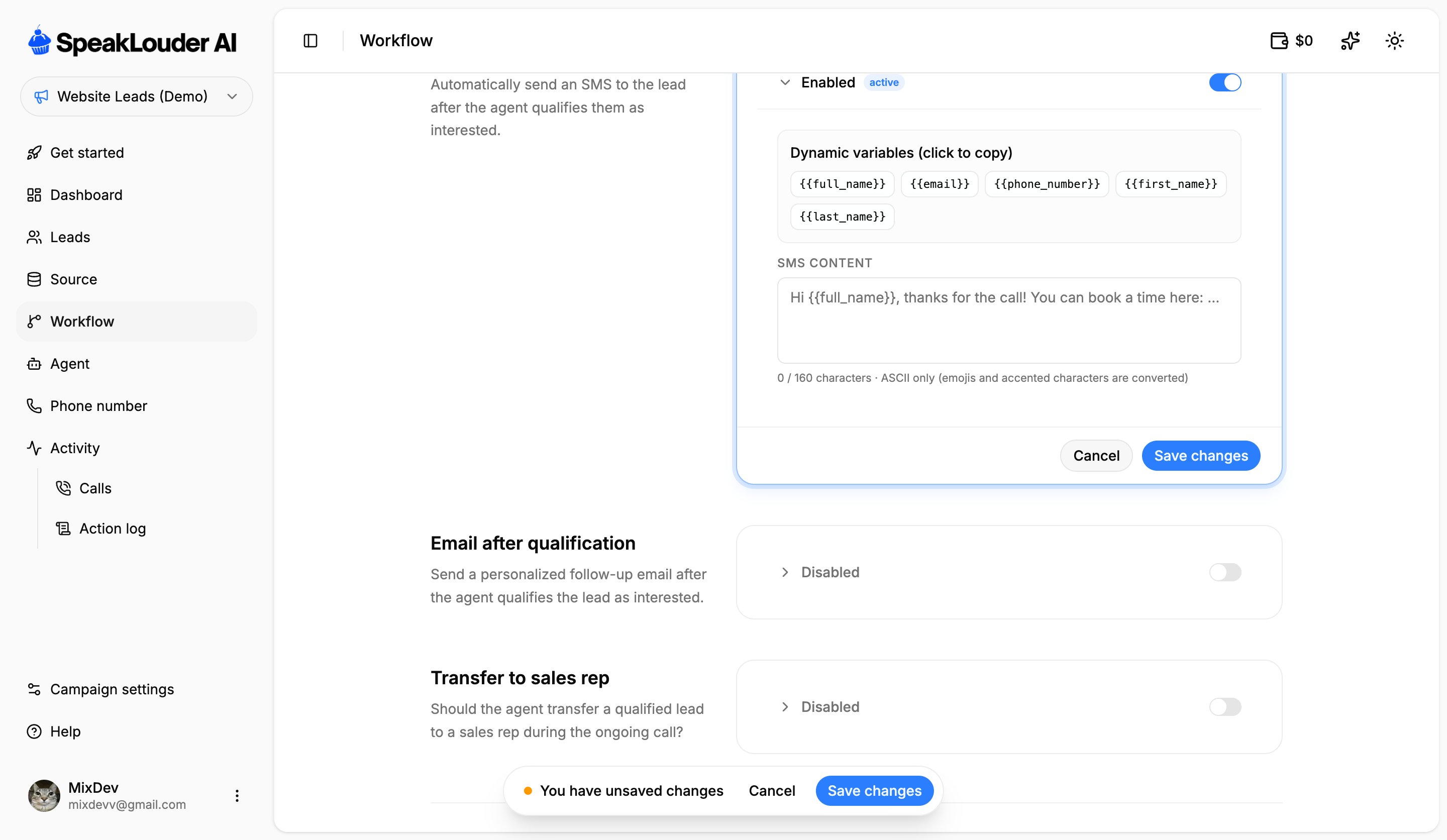
- SMS after qualification: an automatic SMS once the agent decides a lead is interested. Personalise it with dynamic variables such as
{{full_name}}or{{first_name}}, click a variable to copy it. SMS content is capped at 160 characters and ASCII only (emoji and accented characters are converted). - Email after qualification: a personalised follow-up email. Requires Gmail connected.
- Transfer to sales rep: hands a qualified lead to a salesperson live, during the call.
Advanced
- Custom qualification condition: describe in your own words when a lead counts as qualified. The agent factors this into how it judges the call.
- Post-call webhook: sends the data from every call to an external system over HTTP POST (Make, Zapier, your own CRM).
Changes to the sequence and schedule apply to future calls. They don’t undo anything the agent has already done.